Airflow management has traditionally been a straightforward aspect of PC building. However, recent trends in case design have complicated this process, often prioritizing aesthetics over functional airflow. This article examines how these design choices can lead to higher temperatures and inefficient cooling.
Shifting Focus from Functionality to Aesthetics
Modern PC cases often feature designs that emphasize visual appeal rather than airflow efficiency. While cases with solid front panels may look sleek, they typically restrict airflow. These designs rely on side vents or small cutouts for air intake, which limits the amount of fresh air entering the case. In contrast, cases with mesh fronts allow for better airflow by providing a more direct path for air to enter.
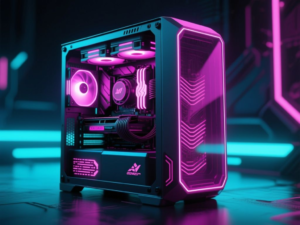
Furthermore, dual-chamber cases with panoramic glass panels exacerbate this issue by eliminating front intakes altogether. Instead, they depend on side-mounted fans, which can alter the airflow direction. This change can prevent air from flowing directly across critical components like the CPU and GPU, potentially leading to higher temperatures.
The Misconception of Fan Count
Another common misconception is that increasing the number of fans in a case will automatically improve cooling performance. Many builders opt for cases that support a large number of fans, believing that more fans equate to better airflow. However, this is not necessarily true. When multiple fans are installed without a clear airflow path, turbulence can occur, disrupting the intended airflow.
Turbulence can lead to competing air currents within the case, causing some fans to draw air from others and recirculating warm air instead of expelling it. As a result, the effectiveness of additional fans diminishes, making fan count a less meaningful metric for assessing airflow efficiency.
The Impact of Negative Pressure
Many builders inadvertently create negative pressure within their cases, which can further complicate airflow management. For instance, mounting a large AIO cooler as an exhaust can overpower the intake airflow, leading to a situation where the exhaust exceeds the intake. This imbalance can cause unfiltered air to be drawn in through gaps, resulting in unpredictable airflow paths.
Negative pressure setups can adversely affect GPU temperatures, as the disrupted airflow may prevent the GPU from receiving adequate fresh air. Additionally, these configurations can lead to faster dust accumulation, as air enters through various openings, leading to increased maintenance needs over time.
Optimizing Airflow for Better Cooling
To achieve optimal cooling performance, it is crucial to maintain a slight positive pressure within the case. This approach encourages controlled airflow, allowing fresh air to reach critical components while minimizing dust buildup. Rather than overloading a case with fans, builders should focus on creating a clear path for airflow.
Ultimately, effective airflow management is less about the quantity of fans and more about their strategic placement. A well-ventilated case combined with a few optimally positioned fans can significantly enhance cooling efficiency. Overthinking airflow can lead to complications, but a straightforward approach often yields the best results.
This article was produced by NeonPulse.today using human and AI-assisted editorial processes, based on publicly available information. Content may be edited for clarity and style.
Original source: xda-developers.com