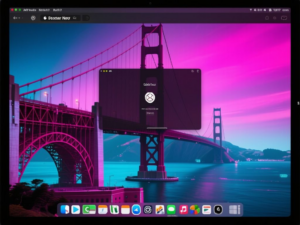
Apple’s recent Worldwide Developers Conference highlighted several key areas of focus, including advancements in AI, new parental controls, and platform improvements in macOS 27 Golden Gate. The beta version is currently running on an M1 MacBook Air, showcasing various enhancements aimed at improving user experience.
UI Enhancements: Liquid Glass and More
One of the most noticeable changes in Golden Gate is the refinement of the Liquid Glass effect in the Control Center. Users now have a slider for adjusting the opacity of this effect, moving away from the previous binary toggle. This allows for a more customized appearance, although the overall look remains less glassy compared to iOS. The adjustments aim to mitigate visual conflicts, particularly where text overlaps.
Additionally, the design of windows and sidebars has been altered. Sidebars now extend from the edge of the window to the content area, and window corners are less rounded than in the previous version, improving cursor alignment with visual elements.
External Display Support
macOS 27 Golden Gate introduces native support for 5K ultrawide displays, enhancing compatibility with high-resolution monitors. While specific resolutions are not detailed, it is noted that M1, M2, and M3 Macs may still be limited to 60 Hz refresh rates on standard 16:9 5K monitors. Furthermore, the OS improves window memory management across multiple displays, which is beneficial for users who frequently dock and undock their laptops.
Menu Bar and Virtualization Improvements
Changes to the menu bar include a new battery icon that displays the percentage charge inside the icon, conserving space. There is also a new icon indicating Ethernet connectivity, addressing a common user request.
For developers and users of virtualization technology, Golden Gate enhances the experience with features like user account creation during VM setup, USB passthrough, and improved network configurations. These updates streamline the process of running multiple operating systems on a single machine.
Conclusion
Overall, macOS 27 Golden Gate appears to address many user concerns from previous versions, particularly regarding UI design and external display functionality. As the beta progresses, further refinements are expected ahead of the official release.
This article was produced by NeonPulse.today using human and AI-assisted editorial processes, based on publicly available information. Content may be edited for clarity and style.