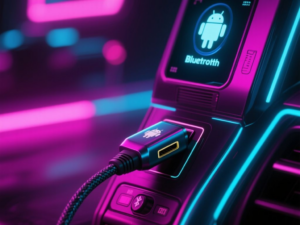
Wired Android Auto is designed for quick and efficient connectivity. Upon plugging in your phone via a USB cable, the system activates almost instantly. However, many users notice that Bluetooth also turns on during this process, raising questions about its necessity.
Wired vs. Wireless Connections
Android Auto provides two primary connection methods: a wireless option using the phone’s 5GHz Wi-Fi and a wired option via a USB data cable. The wired connection is often preferred due to its reliability and reduced heat generation on the phone. It supports a wide range of functionalities, including navigation, music playback, and message notifications. Despite the capabilities of USB, it does not handle phone calls.
Bluetooth’s Role in Phone Calls
Phone calls are managed through Bluetooth, specifically using the Bluetooth Hands-Free Profile (HFP). This long-established protocol employs a mono audio channel to transmit voice, allowing users to hear callers through the car’s speakers while using a built-in microphone to capture their voice. This design prioritizes safety, enabling drivers to manage calls without accessing their phones directly.
Benefits of Bluetooth for Calls
While it may seem inconvenient for Bluetooth to activate when using wired Android Auto, this separation offers several advantages. For one, it provides redundancy; USB connections can occasionally drop, especially in a moving vehicle. If Android Auto crashes, having calls routed through Bluetooth ensures that communication remains uninterrupted. Additionally, car manufacturers have optimized their microphones and audio processing systems for the noisy environment of a vehicle, enhancing call quality despite the inherent challenges.
Addressing Call Issues
When users experience audio issues during calls on Android Auto, the root cause is often related to Bluetooth rather than the wired connection. Problems may arise from competing devices, such as smartwatches or earbuds, or from incorrect Bluetooth permissions. In many cases, simply toggling Bluetooth off and on can resolve the issue. Updating the car’s firmware can also improve connectivity.
In conclusion, while it might seem logical for wired Android Auto to handle phone calls directly, the decision to use Bluetooth for this function is based on established reliability and functionality. Understanding this can help users appreciate the seamless integration of these technologies.
This article was produced by NeonPulse.today using human and AI-assisted editorial processes, based on publicly available information. Content may be edited for clarity and style.
Original source: howtogeek.com