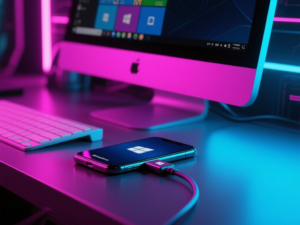
In today’s digital age, managing distractions from smartphones is a common challenge for many professionals. Recently, I discovered how Phone Link, a built-in application in Windows 11, significantly improved my productivity by allowing me to link my phone to my PC.
Understanding Phone Link
Phone Link is designed to integrate your smartphone with your Windows PC, enabling you to view notifications, make calls, and access apps directly from your computer. Initially, I was skeptical about its utility, but after linking my OnePlus 15 to my PC, I found it to be a game-changer.
Reducing Phone Dependency
Before using Phone Link, I struggled to keep my phone out of reach during work hours. The presence of my phone often led to frequent distractions, whether from important notifications or mindless scrolling through social media. The app allowed me to see notifications on my PC, which meant I no longer needed to check my phone constantly. This shift helped me focus better on my tasks.
Customizing Notifications
One of the standout features of Phone Link is the ability to customize which apps can send notifications. By filtering out non-essential alerts, I ensured that only critical notifications would disrupt my workflow. This customization has resulted in a significant reduction in distractions, allowing me to save approximately an hour from my workday.
Additional Features and Workflow Improvements
Beyond managing notifications, Phone Link offers several other functionalities that have streamlined my workflow. For instance, I can transfer photos directly from my phone to my PC using the Photos tab in the app, eliminating the need for third-party applications. Additionally, the cross-device clipboard feature enables seamless copying and pasting of text and images between devices.
While I have not utilized every feature, such as using my phone as a webcam or Wi-Fi hotspot, the ability to mirror my phone’s screen to my PC has proven useful for sharing content during work. Overall, Phone Link has simplified the process of syncing my devices and reduced the clutter on my phone by allowing me to uninstall several unnecessary apps.
In conclusion, Phone Link has become an essential tool in my daily routine, helping me minimize distractions and enhance productivity. Its integration into Windows 11 makes it a convenient solution for anyone looking to manage their phone usage more effectively during work hours.
This article was produced by NeonPulse.today using human and AI-assisted editorial processes, based on publicly available information. Content may be edited for clarity and style.
Original source: xda-developers.com